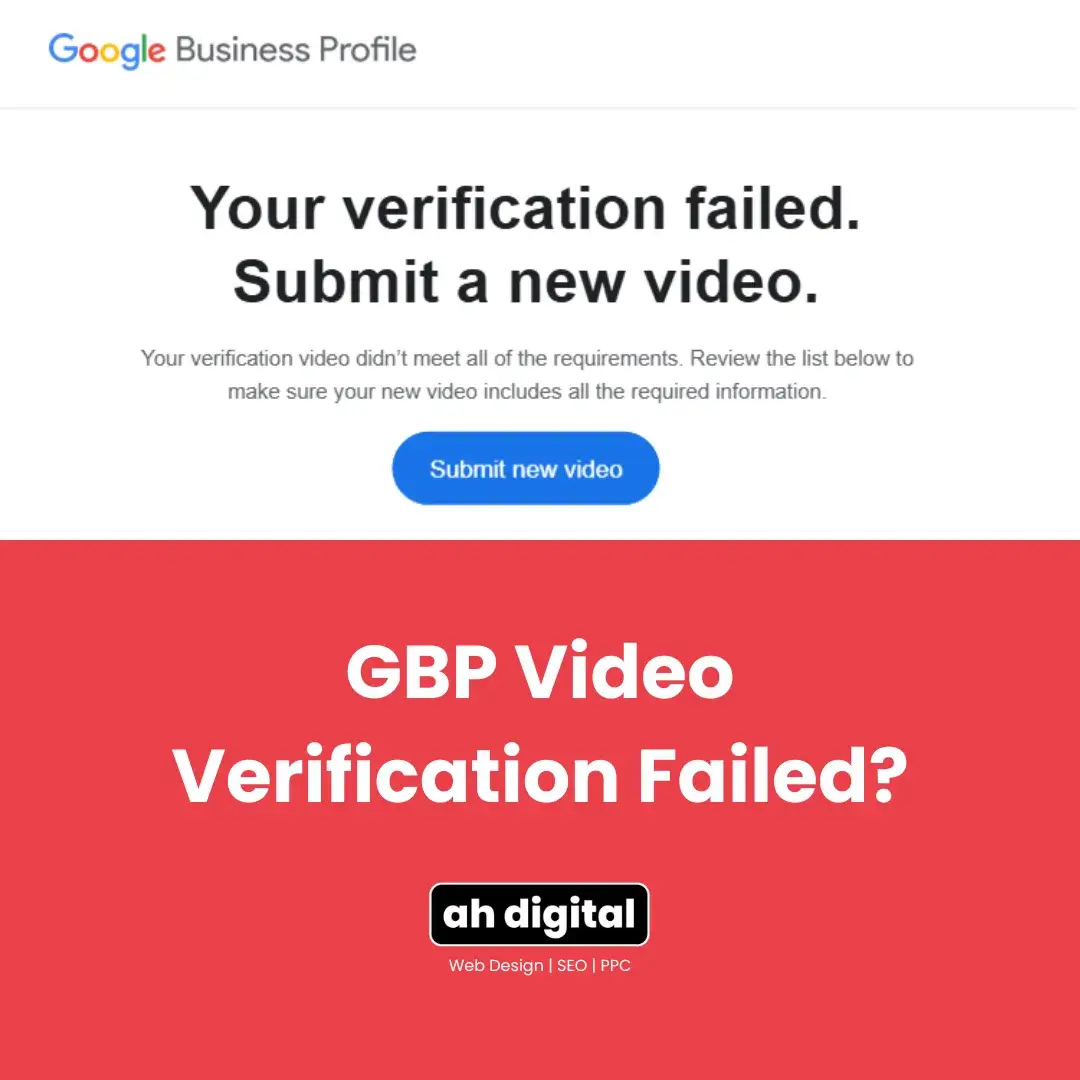
Client: “I read the rejection email three times. It just says my video didn’t meet the requirements.”
That’s the frustrating part. Google’s rejection notice is vague on purpose. The actual reasons are specific, and every one of them is fixable, once you know which one applies to you.
Re-recording the same way you did the first time just gets you the same rejection. Here are the 9 real reasons GBP video verification fails, matched to the fix for each, plus what to do if it happens twice.
Most UAE business owners assume the rejection means their footage quality was the problem, so they buy a better phone, find better lighting, and record again. Sometimes that’s it. More often, the issue is something the reviewer is checking that has nothing to do with production value: a name that doesn’t match, a shot order that skips a required step, or an account that isn’t the one tied to the listing.
Why Google’s Rejection Message Doesn’t Tell You Anything
The generic “didn’t meet requirements” message isn’t Google being unhelpful on purpose. It’s an automated review checking a list of specific signals, and the notice you get back is a summary, not a breakdown.
That’s exactly why guessing wastes an attempt. Two businesses can both get the same vague rejection for completely different reasons, one for a signage mismatch, the other for starting the video indoors. The fix is different in each case, so treating the message as a single, generic problem to solve rarely works.
The 9 Reasons Your Video Got Rejected
1. Your business name doesn’t match your signage, letter for letter. Even a missing “The,” a different abbreviation, or extra punctuation counts as a mismatch. This is especially common in the UAE, where a trade licence name and a shopfront sign are often worded differently. Fix: check your Business Profile name against your physical signage before you film, not after.
2. Your address doesn’t match what’s on the profile. If your listing address and your actual location differ in any way, even a building name spelled slightly differently, the reviewer can’t confirm the match. Fix: correct the address on your profile first, then record. Getting the basics of your listing right from the start avoids this kind of mismatch altogether.
3. The video is edited or stitched from multiple clips. Any cut, even a small one, reads as inconsistency rather than a single honest walk-through. This includes trimming the start or end of a clip after recording, not just splicing separate takes together. Fix: film it in one continuous take, start to finish, and don’t edit it afterward.
4. The footage is shaky, dark, or out of focus. If the reviewer can’t clearly read your signage or documents, it doesn’t matter that they’re technically in frame. Fix: film in daylight, hold the phone with both hands, and keep it steady through the whole walk.
5. There are voices or background conversation in the audio. Google’s guidelines call for quiet, narration-free footage. Fix: record when the space is calm, and don’t narrate what you’re doing.
6. Your signage is unclear or not permanently fixed. A printed sheet in the window or a temporary banner doesn’t count. Google wants a permanent sign, one that’s up on a normal business day, not just for the video. Fix: use your actual, fixed signboard, and make sure it’s fully legible in frame.
7. There’s no exterior context, because you started filming inside. This is one of the most common UAE mistakes: skipping the street-level shot and starting at the front desk. Reviewers can’t confirm your location without it. Fix: always start outside with a street sign or landmark before you walk in. We cover the full recording order here.
8. The video is too short to cover the required shots. Rushing through exterior, signage, entry and proof of management in under 20 seconds usually means something got cut short or skipped. Fix: aim for 30 to 60 seconds so every shot gets proper coverage.
9. You recorded from the wrong Google account. A personal Gmail instead of the account that manages the Business Profile is a common technical mistake, and an easy one to miss, especially if more than one person on your team has access to the listing. Fix: confirm you’re logged into the account tied to the listing before you start, and check with whoever else manages the profile if you’re not sure which account that is.
Read the Rejection Reason Before You Re-Record
Before you film again, check what Google actually flagged. In your Business Profile settings, look for the specific review notes rather than assuming it’s the same issue as last time.
Once you know which of the 9 reasons applies, match it to the fix above and follow the correct shot-by-shot recording order so you don’t introduce a new mistake while fixing the old one.
Clear the Failed Attempt Before Trying Again
Don’t just resubmit the same file and hope. Go to your Business Profile settings, then Advanced settings, then Video uploads, and delete the rejected attempt before recording a new one.
Resubmitting the identical video, or repeating the identical mistake in a new recording, produces the identical result. The reviewer isn’t going to see it differently the second time.
Clearing the old attempt matters for another reason too. A queue full of rejected uploads on the same listing can make the whole review process slower, since there’s more history for a human reviewer to sort through if your case does eventually get escalated. Start clean each time.
What to Do If It Fails Twice
Two rejections in a row is the point to stop guessing. Requesting a manual review gets a human to actually look at your case instead of another automated pass.
Document each attempt: the date, the time, and what the rejection notice said. Use the verification support option in your Business Profile settings to flag that you can’t get verified, and submit that documentation along with proof your business exists at the location, such as your trade licence, Ejari, or a recent utility bill in the business name. This same evidence-first approach is exactly what gets a suspended profile reinstated too, specific proof, not a long explanation, is what actually moves a case forward.
The more specific your documentation, the faster a human reviewer can confirm what an automated check couldn’t. Vague appeals with no supporting evidence tend to sit in the queue longer, or come back with the same generic rejection.
If regular support stalls, Google’s Business Profile community forum has Product Experts who can escalate genuinely stuck cases to Google directly. It’s slower than a first-try approval, but it works when repeated self-recorded attempts aren’t going anywhere. Whatever you do, avoid submitting a third or fourth self-recorded video without changing anything, since Google’s systems can start treating repeated near-identical failed attempts as a signal worth flagging on its own.
How Do I Know Which Reason Applies to Me?
Start with the two most common causes in the UAE: a name or signage mismatch (reason 1), and starting the video without exterior context (reason 7). Between them, these two account for the majority of rejections we see.
If neither fits, work through the list above in order. Most owners can match their situation to one of the 9 within a couple of minutes once they know what the reviewer is actually checking.
It’s also worth checking more than one reason at a time. Rejections can have more than one contributing cause, so a video that starts inside (reason 7) might also happen to feature slightly mismatched signage (reason 1). Fixing only one of the two still leaves you with a rejection.
The Takeaway
A rejection isn’t a dead end. It’s information, telling you exactly which of 9 fixable things went wrong.
Same mistake, same rejection. Fix the actual cause, and the outcome changes. Most owners who go through this list once never see a second rejection, because the causes are specific, not random.
Shaji Vempanadan skipped the trial and error for his Dubai office. His own words after: “Abdul was very quick and prompt in all responses. We got it approved at the first go!” No rejected submissions, no resubmission cycle. See how the process works.
If you’d rather hand this off entirely, AH Digital’s GBP management services in Dubai handle verification, listing setup, and everything after it. We also run the SEO and Google Ads side of lead generation, the combination behind results like a 4,200 percent increase in lead form submissions for past clients. Fill in the quick form, WhatsApp us, or call +971 56 544 6241 directly.