There is a feature sitting inside every Google Business Profile, completely free, that most businesses open once, post to a handful of times, and then forget exists.
It is called Posts, and it functions like a small, direct announcement space attached to your listing, visible to anyone who finds your profile. Here is what it actually does, the three post types worth knowing, and a realistic cadence for using it.
What Google Posts Actually Are
A Direct Line to Anyone Viewing Your Profile
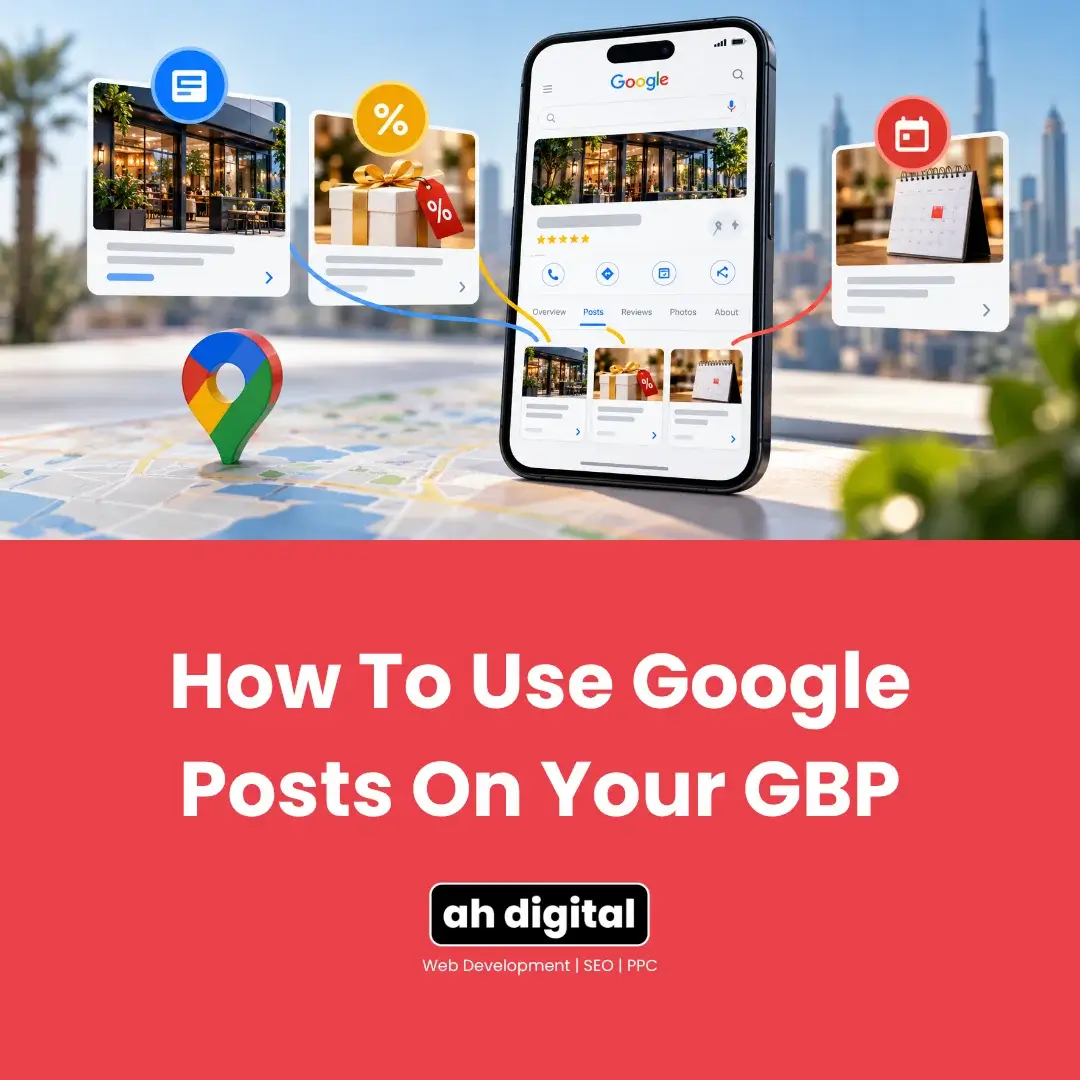
A Post is a short update, similar in spirit to a social media post, that appears directly on your Business Profile. Someone searching for your business, or finding you through Maps, sees whatever you have posted most recently right alongside your regular listing information.
Three Types, Each Behaving Differently
Google documents the mechanics plainly. Posts are created from your Business Profile under Posts, then Add post, and can be scheduled to publish later rather than written on the day. That scheduling option is the detail that makes a weekly rhythm realistic instead of another thing to remember.
There are several main post types available: Update, Offer, and Event, each suited to a different kind of content and each with different visibility behaviour.
The Three Types and What Each Is For
Update Posts
General news. A completed project, a new service added, a milestone, a simple announcement. This is the most commonly used type, and it works well for exactly what it sounds like: keeping the profile looking current between anything more specific.
This is where a widely repeated piece of outdated advice needs correcting. Update posts used to vanish after seven days, and a great deal of guidance still says so. They do not any more. BrightLocal documented the change in January 2021, when older posts began appearing on profiles indefinitely rather than disappearing after a week.
Google’s current documentation states the actual rule: posts older than 6 months are archived unless a date range is set. Six months, not seven days.
Event Posts
For anything with a specific date, a sale event, an open house, a workshop. Event posts carry their own start and end dates, and that range governs how long they stay live, which makes them the right choice whenever your content has a genuine date attached to it.
Offer Posts
Google’s own documentation notes an Offer post requires a title and start and end dates, and automatically carries a “View Offer” button, with optional coupon code, link and terms. That automatic button is the practical difference: an offer gets a call to action attached without you designing one.
A specific promotion or discount. Offer posts stay visible until the offer itself expires, and they tend to generate the strongest engagement of the three types, because they give the reader something concrete to act on immediately rather than simply information to note and move past.
Why Most Businesses Never Get Value From This
Posting Once and Stopping
The most common pattern: a business posts when the profile is first set up, gets no immediate visible result, and never returns to it.
The consequence is not an empty space, which is what the old seven-day rule would have produced. It is worse in a quieter way. The post stays, so a visitor today sees an announcement from eight months ago sitting on your profile, publicly dated. An empty slot says nothing at all. A visibly stale post says nobody has been here in a while.
Treating It as an SEO Trick Rather Than a Presence Signal
It helps to be precise about where posting does and does not fit. Google describes local ranking as resting on relevance, distance and prominence, and posting activity is not one of those three levers in any direct sense. What it does influence is what a person sees at the moment they are choosing between you and the listing next to yours.
Posts are not a significant direct ranking lever on their own. Their real value is different: a profile with a recent, relevant post visibly looks like an actively run business, at the exact moment a customer is comparing you against a competitor whose profile has not changed in months.
That distinction matters for expectations. Do not post expecting a ranking jump. Post because it is one of the cheapest ways available to make a real business look like one.
A Realistic Posting Rhythm
Weekly, With Actual Content
Since posts persist rather than disappearing, the case for a weekly rhythm is not about refilling a gap that reopens every seven days. It is that the most recent post is the one a visitor sees first, and its date is visible. A weekly cadence keeps that top item recent without demanding daily attention nobody has time for.
The content matters more than the frequency. A genuine update, a real offer, an actual event beats a vague filler post posted purely to keep the streak going. If there is nothing worth saying in a given week, skipping is better than posting something empty.
What Actually Belongs in a Post
A completed project with a photo. A new service you have started offering. A seasonal offer with a real discount and a real end date. A change in hours around a public holiday. Anything a genuine customer, not a search engine, would find worth reading.
What to Skip
Generic motivational content, anything unrelated to your actual business, and posts that exist purely to fill the slot rather than say something. These do not build the trust signal the feature is actually useful for, and a customer scrolling past one notices the difference.
Setting This Up Without It Becoming a Chore
Batch a Few at Once
Since posts can be written and scheduled at whatever pace suits you, writing three or four update posts in one sitting and spacing them out removes the need to remember weekly. This turns an easy-to-forget task into something handled in one short session a month.
Reuse What Already Exists
A photo taken for another purpose, a line already written for a WhatsApp update to a client, a genuine before-and-after from a completed job. Posts do not need original content created specifically for them, they need something true and current, and most businesses already have material like this sitting unused.
How This Connects to the Rest of Your Profile
Posts Are Not a Substitute for the Basics
An active posting habit on a profile with an outdated address, a vague category, or unanswered reviews does not fix the underlying problems. Posts are a genuine addition on top of a properly maintained profile, not a way to compensate for one that is not.
If several small maintenance gaps like this sound familiar, our checklist on common mistakes quietly costing businesses customers covers the fuller picture beyond just posting activity.
Photos Attached to Posts Matter
This is also where expectations need setting carefully, because photos are widely misunderstood as a ranking lever. Our post on what Google Business Profile photos actually do covers the controlled testing on that, and the short version applies here too: images change whether someone clicks, not where you rank.
A post with a genuine, relevant photo performs better as a piece of content than plain text alone, in the same way any social content benefits from an image. This does not need to be professional photography, a real photo of the actual work, event or offer is what matters, not production quality.
The Bottom Line
Posts will not fix a weak profile on their own, and they are not a ranking shortcut. What they do is make a real, active business visibly look like one at the exact moment someone is deciding between you and a competitor whose listing looks untouched.
Pick a weekly rhythm, use offer and event types when the content genuinely fits them, and stop when you run out of something real to say rather than posting filler to keep a schedule.
If you would rather have this handled consistently rather than added to an already full list of things to remember, our Google Business Profile management service covers ongoing profile activity like this.
WhatsApp Hameed for a quick question, or call +971 56 544 6241 for a free consultation. There is also a contact form if you would rather write it out.
A free feature sitting unused is not neutral. It is a quiet, visible sign to every visitor that nobody is currently paying attention.