Open your own Google Business Profile dashboard and find the Services or Products section right now. If it is empty, or has one or two entries added once and never touched again, that puts you in the majority.
This section sits quietly inside the dashboard, does genuine work for how specifically your business gets matched to a search, and most UAE businesses have simply never opened it. Here is exactly what it does and how to use it properly.
Why This Section Exists At All
Your Category Is Broad, This Is Specific
Your primary category tells Google roughly what kind of business you are. A cleaning company, a salon, a law firm. That category alone still leaves a wide range of possible searches unmatched, because it cannot tell Google whether you specifically do deep cleaning, specifically do lash extensions, or specifically handle labour disputes.
The Products and Services section is where that specificity actually lives. It is the difference between showing up for “cleaning company” and showing up for “end of tenancy deep clean,” which is a search from someone considerably closer to actually booking.
It Also Answers a Question Before It Is Asked
A customer scanning several similar profiles quickly checks whether a business does the specific thing they need, without wanting to call and ask first. A completed section answers that instantly. An empty one leaves the customer to guess, and guessing usually means moving to the next option.
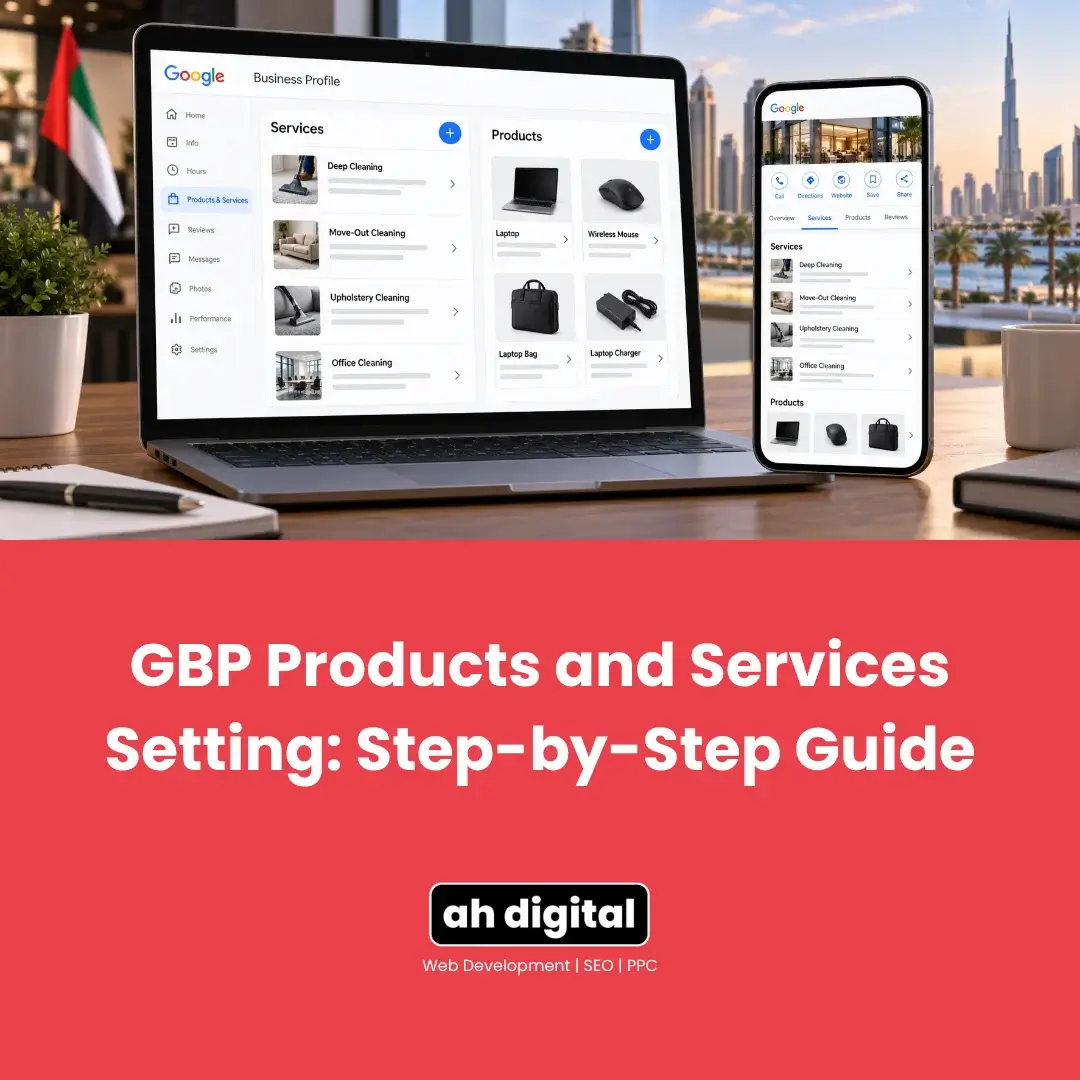
Services: What It Is and How to Add One
Two Sections, Not One
Google treats Services and Products as genuinely separate sections, each with its own rules. Services generally suits a business selling expertise or work rather than physical goods.
The Actual Steps
From your Business Profile, select Edit Services. Google usually suggests a list based on your category, and you can select from those directly. If your specific offering is not listed, select Add Custom Service instead.
Once a service is added, you can go back in, select it, and add a price or a short description to make it more specific still.
The Rule That Trips People Up
Custom service names cannot include prices or phone numbers, along with the more obvious restrictions like profanity or gibberish. Google’s own guidance is explicit that services violating this get automatically rejected.
The fix is simple once you know it: name the service plainly, “Deep Carpet Cleaning” rather than “Deep Carpet Cleaning AED 150,” and use the separate price field for the actual number.
Products: A Different Shape Entirely
Collections First, Then Items
For a business selling physical goods, Google’s product editor works through collections: create or select a collection first, then add individual products inside it, each with a name, price, description, a photo, and a link back to the relevant page on your own website.
Compliance Matters More Here Than It Sounds
Products submitted through this editor are subject to Google’s shopping policies, and Google’s own warning is direct: submitting products that violate policy can result in every product you have uploaded being removed, not just the offending one.
Keep listings accurate and avoid anything resembling manipulation or misleading claims, since the penalty here applies to the whole collection, not a single item.
A Small but Genuinely Useful Tip
Large image files slow the editor down noticeably and can time out entirely on a weaker connection, which is precisely the moment someone gives up halfway through adding their tenth product. Compressing images before uploading, using any free tool, avoids this entirely and costs a few seconds per photo.
Why This Gets Skipped So Often
It Feels Optional Because Nothing Breaks Without It
Unlike a missing category or a suspended profile, an empty Services or Products section causes no visible error. Nothing warns you it is incomplete. This is exactly why it survives untouched for years on otherwise well maintained profiles.
The Comparison Effect
The cost only shows up in comparison. Two similar businesses, one with a filled, specific Services section and one with none, are not equally convincing to a customer deciding between them in the same search. The gap is invisible until you are the business losing that particular comparison.
Getting It Right the First Time
Think in Terms of What Someone Actually Searches
Rather than listing generic categories of what you do, think about the specific phrase a customer would type. Not “Cleaning” as a service name, but the specific services you actually perform separately: “Deep Cleaning,” “Move-Out Cleaning,” “Upholstery Cleaning,” each as its own entry rather than one vague catch-all.
Revisit It When Your Business Changes
A business that expands into a new service or drops an old one rarely goes back to update this section to match. Treat it the same way you would treat updating your own website when a service changes, because functionally it serves the same purpose here.
A Practical Order to Do This In
Start With Your Highest-Intent Services
If a full rewrite feels like too much at once, start with the two or three services that bring in the most business already, and get those genuinely specific and complete first. A perfect entry for your best-performing service does more than ten thin, half-finished ones.
Then Fill the Gaps a Competitor Would Notice
After the top few are solid, look at what a customer comparing you to a competitor down the road would actually check for. If they list six services and you list two, that gap is worth closing next, even for services that bring in less volume individually.
Revisit Quarterly, Not Once
Treat this the same way you would treat updating prices on a menu. A quick quarterly check, ten minutes, catches services that have quietly changed, ended, or expanded before the profile drifts too far from reality.
The Bottom Line
This section will not get flagged, will not trigger a suspension, and will not visibly warn you it is empty. It simply sits there as one more specific way for the right customer to find exactly what they are looking for, or does not, depending on whether anyone filled it in.
Ten minutes spent listing your actual services or products properly, with accurate names and no pricing crammed into the wrong field, is a genuinely undervalued fix most competitors have not made either.
If you would rather have your entire profile audited and completed properly, our Google Business Profile management service covers exactly this kind of detail work.
WhatsApp Hameed for a quick question, or call +971 56 544 6241 for a free consultation. There is also a contact form if you would rather write it out.
An empty section does not cost you a warning. It costs you the comparison you never knew you were losing.