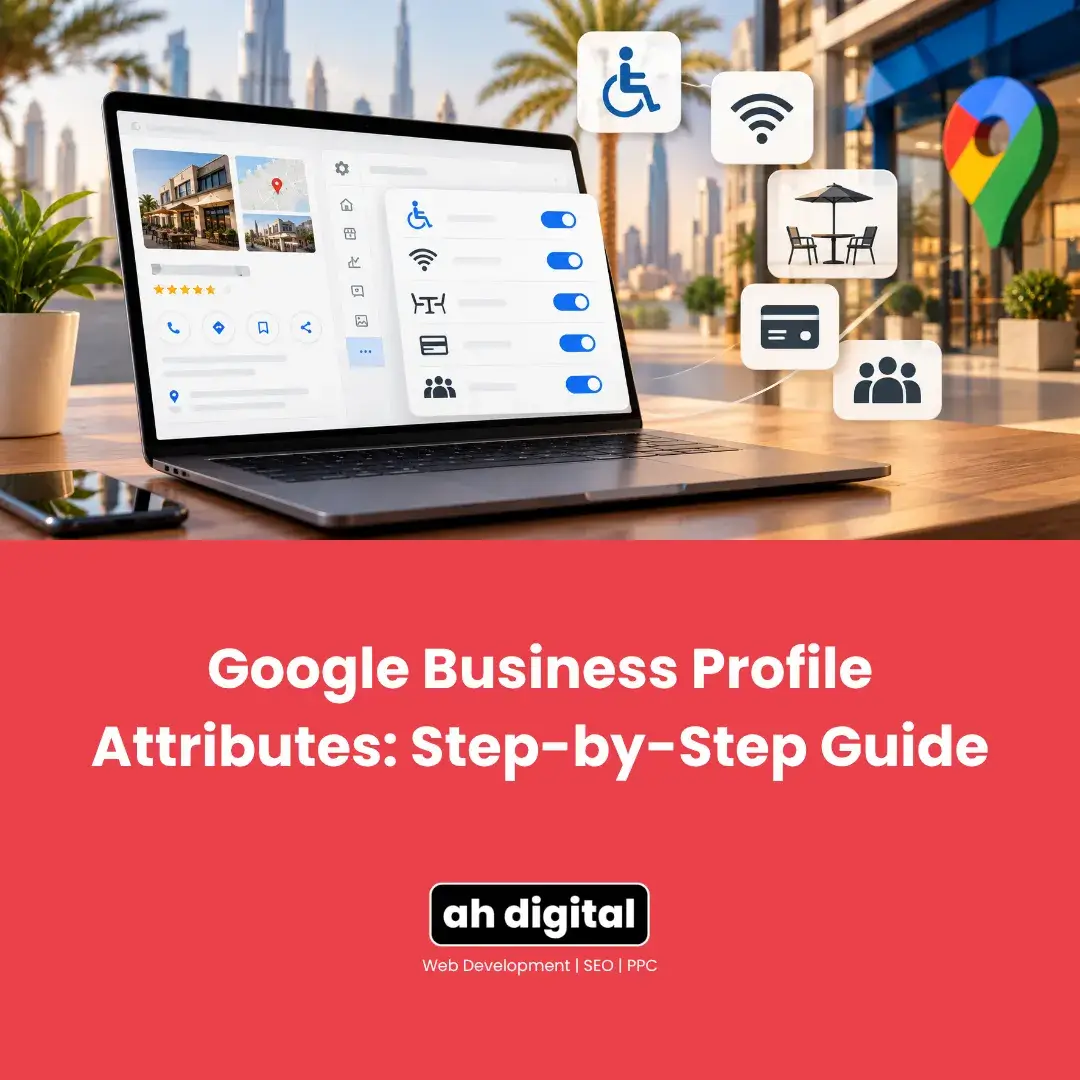
Somewhere inside your Google Business Profile dashboard sits a section built entirely from simple yes-or-no questions. Wheelchair accessible entrance. Outdoor seating. Women-led. Free Wi-Fi.
Most business owners have genuinely never opened it, largely because nothing about the main dashboard points there directly. It sits under a menu labelled “More,” which is about as unassuming as a setting can get.
Here is exactly where it lives, what it actually covers, and why a handful of honest yes-or-no answers do more than most owners assume.
Where the Setting Actually Is
Edit Profile, Then More
Google’s own instructions are specific: go to your Business Profile, select Edit profile, then More. From there, next to the specific category of attributes you want to change, select Edit, choose Yes or No for each one listed, and Save.
That “More” label is doing a lot of quiet work here. It is easy to assume the main profile fields, name, hours, category, cover everything worth setting, and never notice this section exists at all.
What Attributes Actually Cover
Three Broad Groups
Attributes generally fall into a small number of practical groups: accessibility features (wheelchair accessible entrances, restrooms, parking and seating, hearing assistance), identity attributes (women-led, veteran-led, and similar designations found under a “From the business” heading), and service or payment details (Wi-Fi, outdoor seating, which payment types you accept).
None of these require a long description or any creative writing. Each one is answered directly, which is exactly what makes this section fast to complete once you actually open it.
Why These Small Answers Matter
Someone searching specifically for a wheelchair accessible clinic, or deliberately looking to support a women-led business, is using a filter your profile either matches or does not. A business that never answered these questions is invisible to that specific filter regardless of how good the underlying business actually is.
This is a narrower audience than your main category search, and also a more decided one. Someone filtering by a specific attribute already knows exactly what they are looking for.
Two Details That Genuinely Trip People Up
Not Every Business Sees the Same List
Google’s own guidance confirms that some attributes are only available for certain categories, countries, or locations, and that attribute names can change over time as search behaviour shifts.
The practical consequence: if you changed your primary category recently, or Google has updated its attribute list since you last checked, attributes may now be available to you that were not there before. This is worth a fresh look periodically rather than a single check years ago.
Edits Are Not Instant
Saving an attribute change does not mean it appears on your live profile immediately. Google states that a review of edits usually takes about 10 minutes, but can take up to 30 days in some cases.
Do not assume a save failed simply because an attribute has not shown up yet. Give it time before troubleshooting something that may simply still be under review.
Why This Section Gets Skipped
Nothing Visibly Breaks Without It
Exactly like the Products and Services section, an empty Attributes list triggers no warning, no suspension, no visible flag of any kind. The profile looks entirely normal to a casual glance.
The actual cost shows up only in the specific searches that rely on a filter you never answered, which is precisely why it is so easy to leave alone indefinitely.
It Feels Too Small to Bother With
A single yes-or-no answer about outdoor seating does not feel like meaningful optimisation work, and on its own, it genuinely is not. The value is cumulative. A profile answering ten relevant attributes accurately looks considerably more complete and more filterable than one answering none, even though each individual answer took seconds.
How to Actually Approach This
Go Through It Once, Honestly
Open the section and answer every attribute that genuinely applies to your business, honestly rather than optimistically. An inaccurate “Yes” on wheelchair access, for a business that does not actually have it, creates a real problem for a real customer who arrives expecting something that is not there.
Recheck After Any Category Change
Because different categories unlock different attributes, changing your primary category is a natural trigger to revisit this section, since new options may now be available that were not visible before.
Do Not Ignore the Identity Attributes If They Genuinely Apply
For a business that is genuinely women-led or fits one of the identity attributes, leaving this unanswered is a missed, free, honest signal to exactly the customers actively looking for it. This is not a marketing angle to force, it is a filter to answer accurately if it genuinely applies.
A Short List Worth Checking Today
Wheelchair accessible entrance, restroom and parking, if genuinely true.
Wi-Fi, if you offer it to customers.
Outdoor seating, if applicable.
Payment types you actually accept, especially if you take less common methods worth flagging.
Any identity attribute, women-led, veteran-led, that genuinely describes your business.
Five minutes against this list catches most of what typically goes unanswered.
The Bottom Line
Attributes will not get a profile suspended if left empty, and nothing about the main dashboard forces you to notice they exist. They sit quietly under More, made up of small yes-or-no answers that take minutes to complete properly.
The cost of skipping them is invisible until you are the business that a specific, decided customer filtered straight past.
If you would rather have your entire profile audited and completed properly, including the settings most businesses never find, our Google Business Profile management service covers exactly this kind of detail work.
WhatsApp Hameed for a quick question, or call +971 56 544 6241 for a free consultation. There is also a contact form if you would rather write it out.
A setting nobody opens still gets checked by the customers using it.